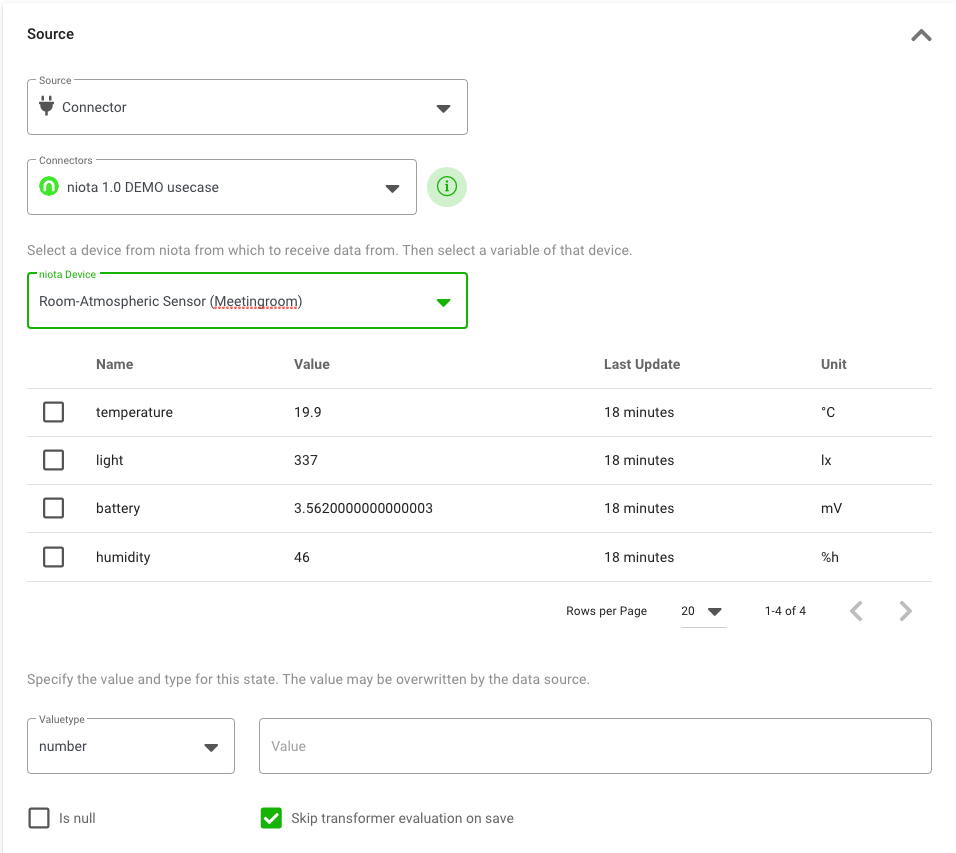
Source Connector
Depending on the bridges configured in your account, you can also select these bridges to connect your digital twin via states to other sources (e.g. niota 1.0).
The necessary text fields for configuring a state depend on the type of bridge you use. The following fields are an example for a niota 1.0 bridge:
- niotix Data sources: Select the concrete bridge instance you would like to use. The names displayed here are based on the field “instance name” of each bridge in the account management.
- niotix Device: Start typing in the device name from niota 1.0 you are looking for - niotix will automatically propose results.
After selecting the device, you choose the values you want to bind to this state by simply marking the checkbox on the left.