All warnings or errors generated by virtual devices to which the user has access can be viewed in the alarm logs to enable efficient tracking. An entry is created in the alarm log when a new error or warning is generated for a virtual device. If an error or warning has been resolved, the status of the entry changes to “Resolved” .
By expanding the respective entry, comments or the time at which the entry was deleted can be viewed.
The basis for the alarm reports is the alarms from the alarm log. These are configured differently depending on the source object: Virtual Devices: Configuration in the device driver in the Device Status Configuration tab Smart Groups: Configuration in the smart group in the Meta Information tab
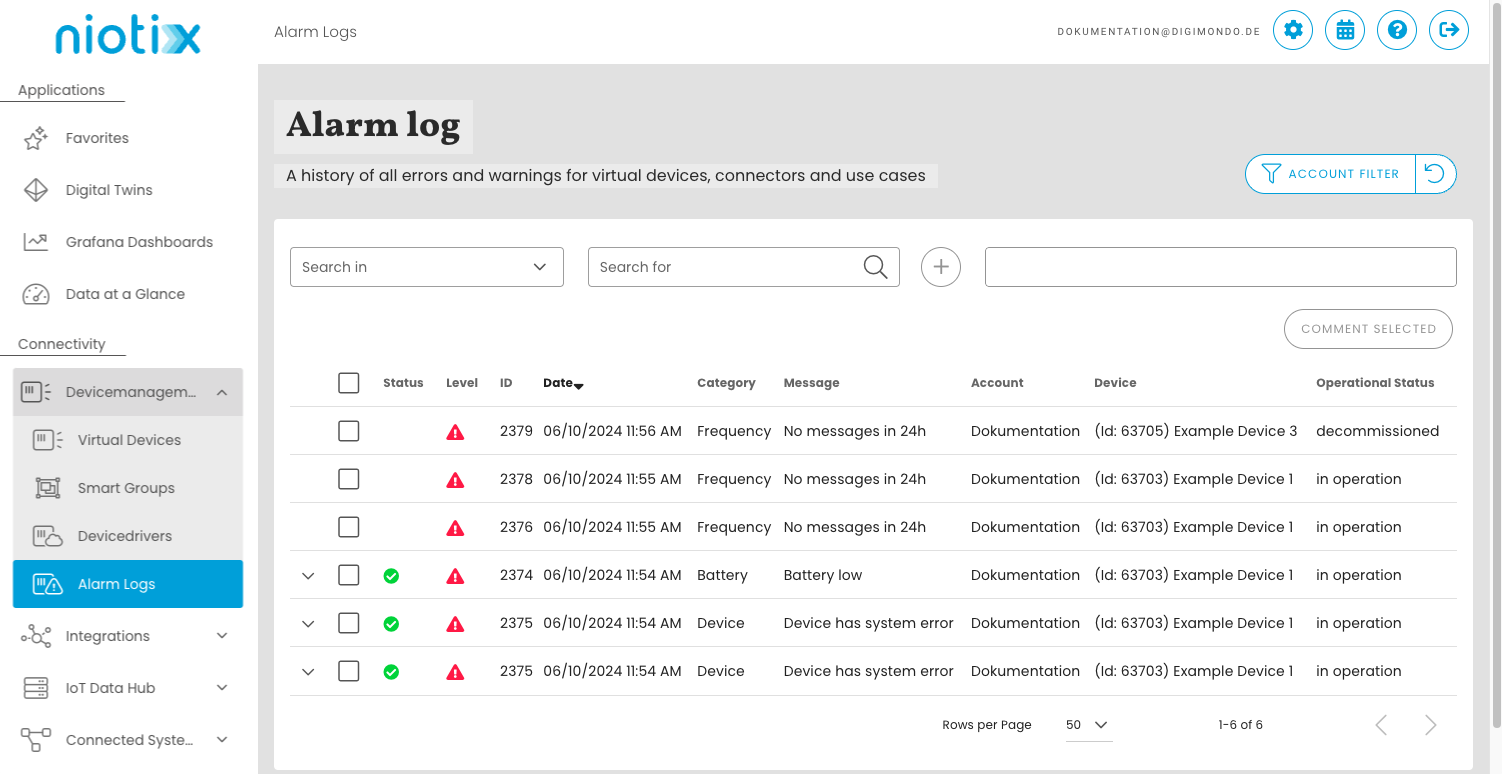
Filter: You can filter by various criteria to narrow down the results.
Comment selection: Entries can be commented on, for example to leave a note for colleagues or to reference a process for resolving the incident.
Status: Errors that have already been resolved receive the status “Resolved” which is indicated by a .
Level: Indicates the level of an entry (error | warning )
ID: Consecutive number of an entry.
Date: Timestamp of the entry of a new entry.
Category: Category of the entry according to the device status configuration of a virtual device.
Message: Error text of the entry according to the device status configuration of a virtual device.
Account: Account of the virtual device.
Device: Name of the virtual device (linked)
Operating status: Operating status of the associated virtual device
Access to entries
Users with access to the respective virtual device can view alarm log entries for this device.
Deletion of entries
Entries in the alarm log are automatically deleted after 30 days as soon as the status is set to “Resolved”, i.e. the error or warning has been rectified.