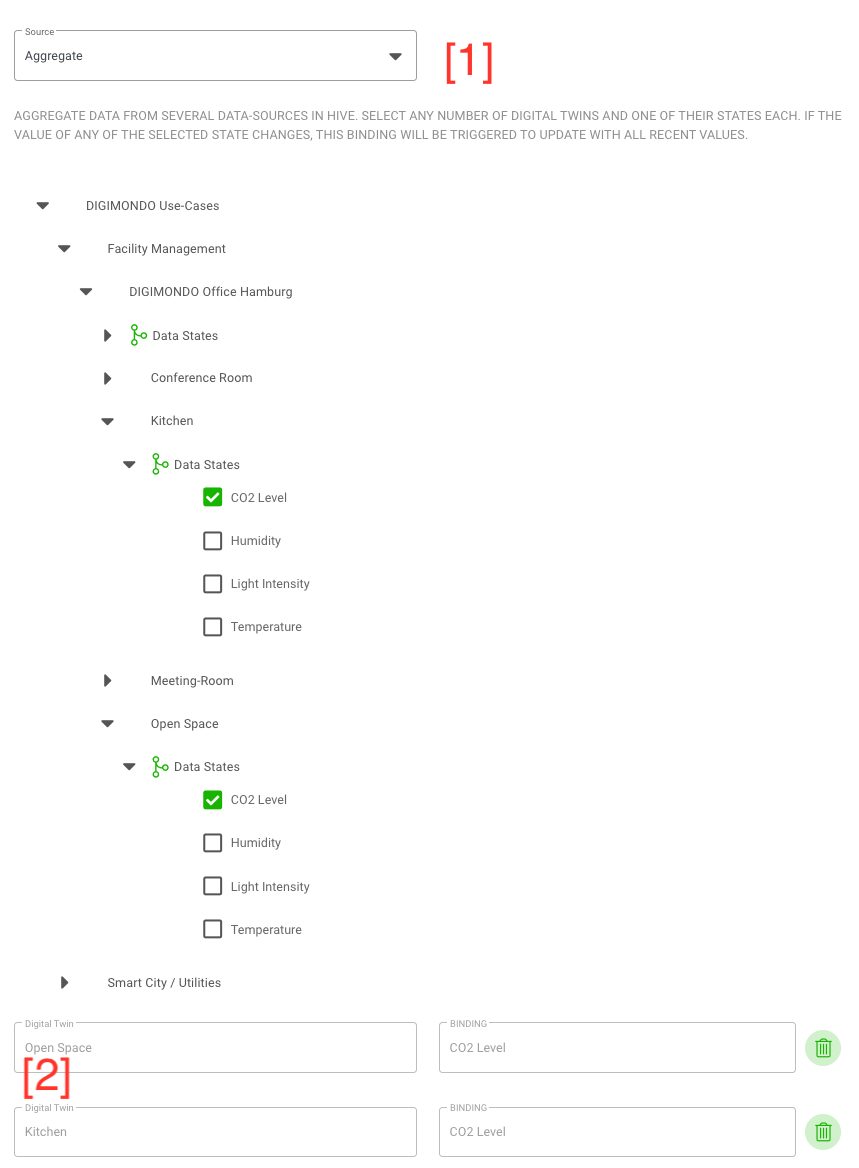
Source “Aggregate”
With aggregate states, you can select existing states from other states and combine them. By this, you can e.g. calculate the average temperature in a building based on its sub-twins, which represent a room in the building equipped with temperature sensor. Every time a selected state from another digital twin is updated, the aggregated state will update as well.
To define an aggregate state, select “Aggregate” as a source. Navigate through the displayed hierarchy of twins and select the required states [1]. niotix will list the selected states under the hierarchy [2] to keep the overview and quickly remove states not needed in the aggregation. Below, in the section Aggregate value you can also review how the incoming data of the aggregated state looks like.