Overview
In a niotix-based setup, the Firefly organization is the technical target context for API keys, subscriptions, devices, and gateways. The Firefly connector in niotix reads the organization from the selected API key and creates the integration for that exact organization.
Creating organizations and suborganizations
All steps use the Firefly web UI. The hierarchy consists of organizations and suborganizations (children under a parent organization).
New top-level organization
- From the organization list, choose the action to create a new organization (exact menu or button label depends on the locale).
- Enter a name and submit the form; the new organization appears in the list and can be opened like any other organization.
Suborganizations
- Open the parent organization and go to Settings → Suborganizations.
- This section is available only while further nesting levels are still allowed under that organization. The maximum tree depth is configurable (typical deployments use a limit in the low double digits); if the limit is reached, the subsection is hidden or the UI shows an explanatory message.
- In the tree editor:
- Enter or edit names directly in the fields.
- Use Add Suborganization (above the tree and on a node once it has been saved) to add entries at the same level or deeper.
- Remove nodes with the trash icon only when they have no child nodes.
- Change order by dragging the handle icon.
- Apply changes with Save to create new suborganizations, update existing ones, or remove entries marked for deletion.
This maps tenants or sites to separate organizational units without duplicating administration in niotix: niotix always works in the context of the organization represented by the API key in use.
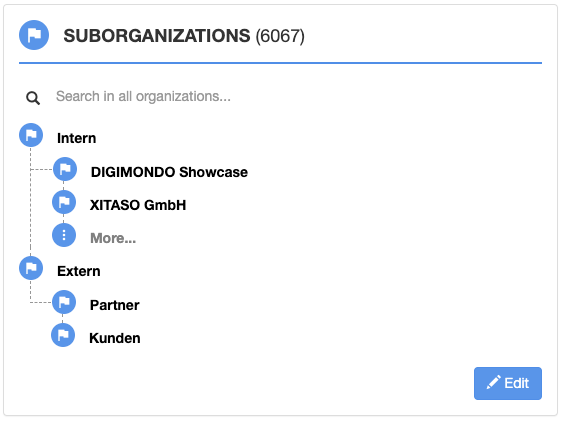
Organization hierarchy view
Access & Navigation
The main areas are:
- in niotix: Integrations → Connectors — details: Firefly connector
- in Firefly: open the organization and use Settings, Users, API Keys, and optionally Sinks
Connector and API Key
The Firefly connector in niotix uses at least:
- Firefly URL
- API Key
- optional MQTT URL
The API key is not only used for authentication. niotix also derives the Firefly organization from it. Based on that organization, the MQTT subscription is created.
Changing the Firefly API key in the connector configuration changes the organization context. From niotix 3.8.2 onward, the related Firefly subscription is updated automatically when the connector settings are saved, and the connector re-establishes MQTT afterward.
Account in niotix vs. Organization in Firefly
The two systems use different management objects:
- niotix account: the tenant and management boundary in niotix
- Firefly organization: the management boundary for devices, gateways, users, API keys, and sinks in Firefly
For productive operation, this means:
- a niotix account only works with the Firefly context reachable through the selected API key
- suborganizations are managed in Firefly, not in niotix
- removing an organization membership in Firefly does not automatically delete the underlying Firefly account
User Management and Roles
Firefly separates account from organization membership:
- a Firefly account is the actual user identity
- the role is assigned per organization
Firefly provides three visible organization roles:
- Read-Only
read access without write actions - Device Admin
write access to device-related areas such as devices, gateways, multicast groups, or application views - Organization Admin
full organization management, including settings, users, API keys, and organization-level changes
Typical user actions:
- invite a user by email
- change the role of an existing membership
- remove a membership from an organization
Removing a user from an organization only removes access to that organization. The Firefly account itself may still remain active in other organizations.

API Keys in Firefly
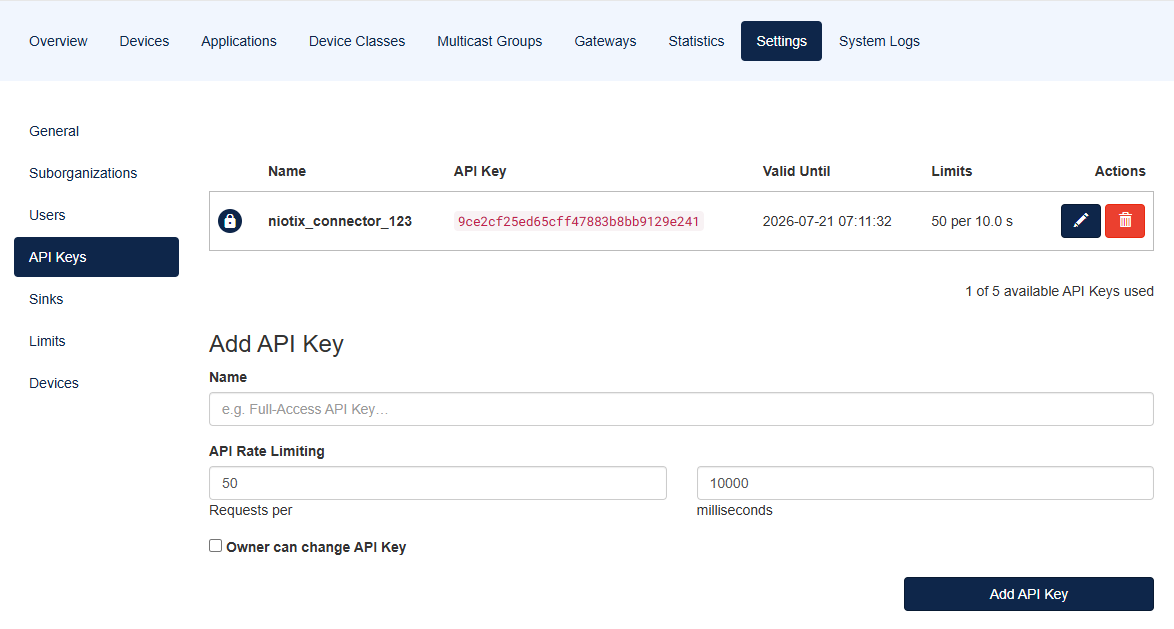
Organization: settings and API Keys
API keys in Firefly are managed per organization. Under API Keys, create a new key using the create action in that view. Each key can include a name, validity (end of validity, Valid Until), rate limit, and owner context. The secret value is usually shown in full only once and should be stored safely before it is pasted into the Firefly connector in niotix.
In a niotix setup, these keys are mainly used for:
- REST calls from the Firefly connector
- resolving the Firefly organization
- subscription handling
- gateway and device operations
API key validity and expiration
Every key has an end of validity (Valid Until). Newly created keys receive a default lifetime (often around 90 days from creation, depending on version and configuration); the date can be adjusted or extended under organization settings → API Keys.
Before the expiration date
- Email reminders may be sent to organization admins on the affected organization and, where applicable, on parent organizations when validity ends in a few weeks or days (multi-stage; exact intervals and any additional channels depend on deployment configuration).
- The message states the key name, organization, and Valid Until, and links to the organization’s API key settings page.
After the expiration date
- REST requests to the Firefly API using that key are rejected with HTTP 401; the response indicates that the API key has expired.
- The Firefly connector in niotix can then no longer authenticate to Firefly; synchronization, subscription maintenance, and related tasks stay suspended until a valid key is configured (renew or replace the key in Firefly and update the connector configuration in niotix).
- An expired key is not removed from the database automatically; it must be renewed, replaced, or deleted explicitly.
Sinks and Webhooks
Firefly provides sinks as an organization-level webhook mechanism. This allows events such as uplinks or downlink events to be forwarded to external HTTP targets.
For niotix-based Firefly integrations, however:
- sinks/webhooks are not the primary integration path
- niotix uses REST + MQTT subscriptions instead
- sinks are mainly relevant when Firefly is integrated with other systems without niotix
Typical sink properties in Firefly include:
- target URL
- content type
- event selection
- organization-level scope
Root Admin Functions
Some management functions are only available to users working in the root organization with administrative rights. This especially includes:
- cross-organization administration menus
- system-wide management functions
- user or device actions in a root context
For organizations, the following also matters:
- new root-level organizations can be created (see Creating organizations and suborganizations)
- organizations can only be deleted after dependent devices and user relations have been cleaned up
- moving or reorganizing devices must be prepared carefully within the organization context
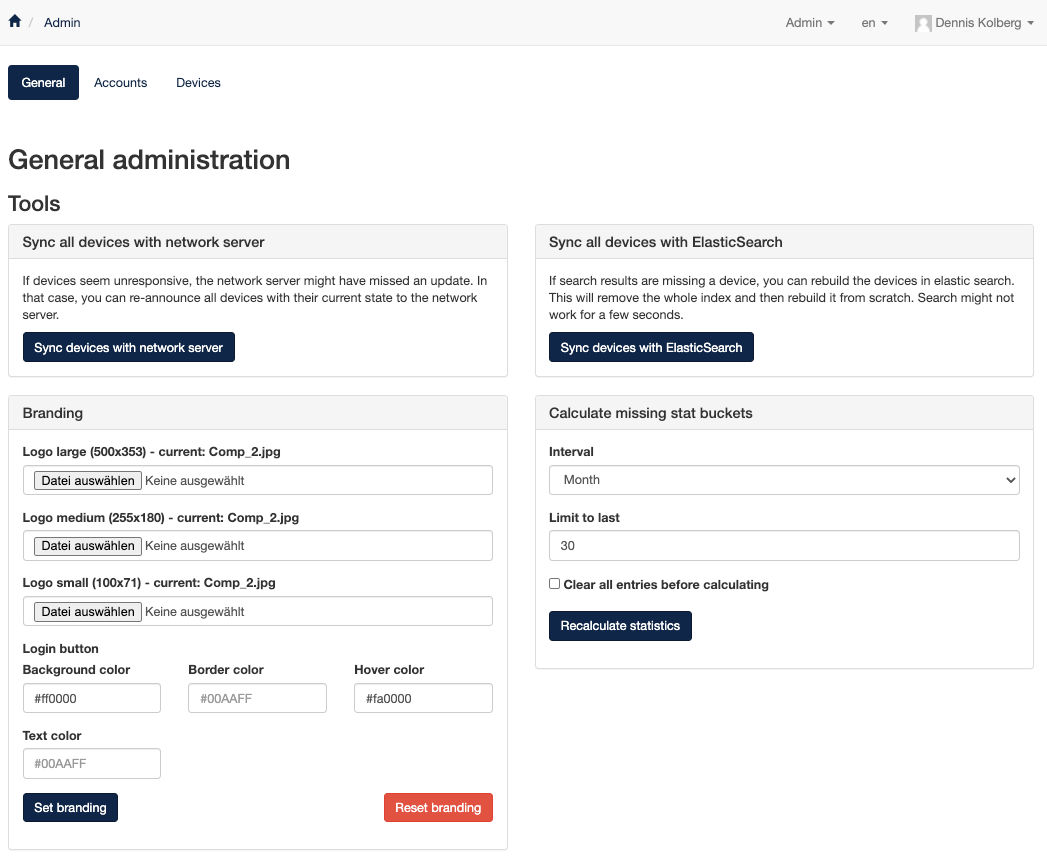
Deleting an organization is a critical action. Dependent devices and user relationships must be checked and cleaned up first.
Troubleshooting
If a Firefly connector does not deliver data, the following checks are recommended:
- API key belongs to the expected organization
- API key is still valid (check Valid Until)
- connector uses the correct Firefly URL
- MQTT URL on the Firefly connector in niotix is correct when uplinks are expected
If actions in the Firefly UI fail, the following checks are recommended:
- role in the correct organization
- whether a root-admin context is required
- confusion between Firefly account and organization membership
Common Questions
Why does niotix not see all Firefly organizations?
The Firefly connector works in the organization context of the selected API key. Visibility and technical processing depend directly on that key.
When should sinks be used instead of niotix?
Sinks are useful when Firefly should send events directly to another target system. For niotix integration, the Firefly connector is the standard path.
Which role is needed for API keys and user management?
API keys are not organization members and do not have a Firefly role; they are organization-scoped API credentials. Creating, renewing, or removing API keys in the Firefly UI normally requires organization-level permissions — typically the Organization Admin role. User management (invites, memberships, user roles) usually requires Organization Admin as well; purely device-related changes may already be possible with Device Admin, depending on the area.
Why does the connector not process data although Firefly is reachable?
In many cases, the selected API key does not belong to the expected organization, has expired, or is combined with the wrong Firefly URL in the connector. Also verify the connector MQTT URL when uplinks are expected. See Troubleshooting.
Why does data disappear after changing the API key?
Changing the API key changes the organization context of the connector. From niotix 3.8.2 onward, the Firefly subscription is usually updated automatically when the connector settings are saved, and the connector re-establishes MQTT afterward. If there is still no data flow, check the MQTT URL, network and firewall path, and the target organization in Firefly.